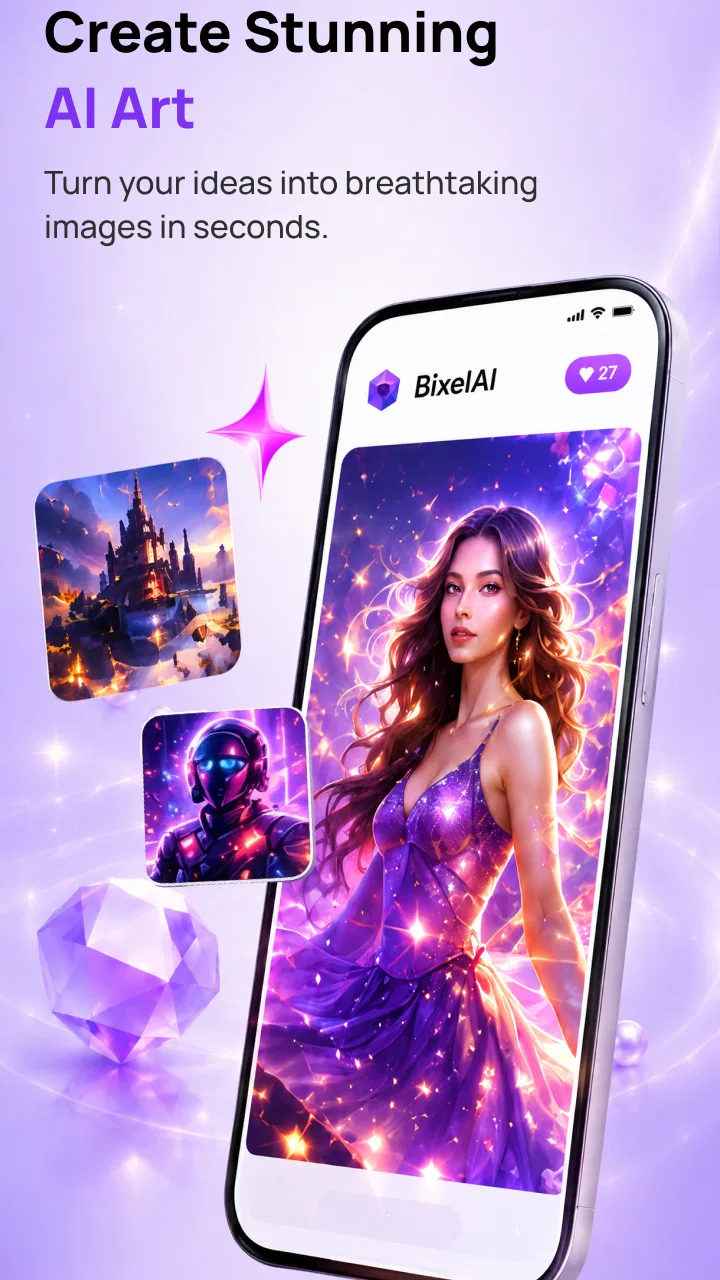
BixelAI - Image & Video Maker
- 3.9
- Rating
- 100.00K
- Installs
- Free
- Price

 Analysis by App-foxy
I approached BixelAI as a practical creative tool rather than as a replacement for a full design studio. It belongs to the Art & Design category and focuses on making AI-generated images and videos from a mobile device. That sounds simple, but the real question is whether it fits the way you actually create: quick visual ideas, social posts, mood boards, experiments, or polished work that needs careful control.
My overall impression is that it is most appealing when speed matters more than exact artistic direction. You can move from an idea to a visual result without building everything manually, which makes it useful for people who are not comfortable with traditional editing software. At the same time, the app sits in a crowded space, and AI generation can feel less predictable than a conventional drawing or video editor. I would not choose it automatically for every project.
Developed by ByTech Solutions LLC, the app is free to install and is suitable for Everyone. It has passed the early curiosity stage, with more than one hundred thousand installs and an average rating of 3.9 from roughly six hundred ratings. Those figures suggest a product people are trying in meaningful numbers, while the rating also hints that the experience may be useful without being perfect for every phone, prompt, or creative expectation.
You May Also Like

 Blood Strike: 2.5 Anniversary
Blood Strike’s Loadouts Turn Every Drop Into a Tactical Gamble
A close look at Blood Strike’s custom loadouts: how fast access to signature weapons reshapes its battle royale rhythm, rewards preparation, and narrows the gap between fights.

 Pandora - Music & Podcasts
Pandora’s Music Is Easy to Start, but Harder to Recover
Pandora’s strength is its low-effort path from a seed to a station. Its weak spot is how much confidence it asks you to place in connection, setup, and quiet recovery.

 8 Ball Pool
8 Ball Pool Is Built on Rivalries, Rematches, and Routine
A close look at the rivalries, rematches, shared routines, and unanswered safety questions that turn a quick pool match into a persistent mobile community.

 Samsung Music
Samsung Music’s Quiet Strength Is Playing What You Already Own
Its reach comes less from spectacle than from dependable access to a personal library. That simplicity is both the app’s strongest retention engine and its ceiling.

 AccuWeather: Weather Radar
AccuWeather Review: A Quick, Clear Forecast for Everyday Decisions
For everyday plans, the best forecast is the one you can understand quickly. AccuWeather makes rain timing, radar, and local conditions easy to act on, with a few trade-offs.

 Hill Climb Racing
Why Hill Climb Racing Still Turns Crashes Into One More Run
A tiny car, a bumpy hill and one more upgrade: Hill Climb Racing keeps resurfacing because its simple chaos makes every near-miss feel personal.
More From Our News Desk



How I Would Decide Whether BixelAI Fits
I’d use this section to weigh whether BixelAI belongs in your regular creative routine, not just whether its first few results feel entertaining. I’d start with one recurring task and note whether the app helps me reach a usable visual with less effort; that makes its ongoing value easier to judge than a one-off experiment. From there, I’d consider how much reviewing and cleanup I’m willing to do.
Start with the kind of result you need
The first decision is not whether AI art is interesting. It is whether you need an original visual quickly or whether you need dependable control over every part of the composition. BixelAI makes more sense for the first situation. If I want a concept image for a presentation, a background for a post, a visual reference for a story, or a short creative experiment, an AI image and video maker can remove a lot of setup work.
It is a different proposition from a normal drawing app. A drawing app gives me direct control over brushes, layers, shapes, and placement. A standard video editor gives me a timeline where I can decide exactly when each clip, transition, and sound element appears. BixelAI is better understood as an idea-to-visual shortcut. The trade-off is that I exchange some precision for speed and surprise.
That distinction matters for beginners. Someone who has never used a design program may find a prompt-led workflow less intimidating than a screen full of tools. I can concentrate on describing the mood, subject, or visual direction instead of learning a complete editing system first. For a casual creator, that lower entry barrier is one of the app’s strongest reasons to try it.
Think about repeatability, not just the first result
A first generated image can look exciting and still be difficult to use. When I judge an AI art app, I look beyond the best-looking result and ask whether I can get a similar visual direction again. This is especially important for a series of social posts, a character concept, or a small project that needs several related scenes.
BixelAI is more attractive when each output can stand alone. It is less obviously suited to work where a character must keep identical details across many images or where a brand requires strict visual consistency. If your project depends on exact typography, fixed product proportions, or repeatable layouts, a conventional design tool may remain the safer choice.
A useful workflow is to treat the app as a visual exploration stage. I would generate several possible directions, select the one with the right atmosphere, and then move the chosen idea into a more controlled editor if it needs final cleanup. This avoids expecting one mobile AI app to handle brainstorming, layout, retouching, and production standards equally well.
Keep the mobile context in mind
The app’s appeal is tied to convenience. A phone is always nearby, so it can be useful when an idea arrives away from a desk. I can imagine opening it while planning a birthday invitation, preparing a quick post for a small business, or collecting visual references during a commute. That immediacy is difficult to match with a desktop-only creative workflow.
However, mobile convenience does not automatically mean a smooth professional workflow. Small screens make detailed inspection harder, and AI-generated images often need careful checking. I would zoom in on faces, hands, lettering, edges, and repeated patterns before using an output publicly. These are the areas where a result can look convincing at a glance but lose quality when viewed more closely.
Understand the free starting point
BixelAI is free to download, which makes the initial decision easy: install it, test the type of results it produces, and decide whether it fits your habits before paying. The important distinction is that free installation is not the same as unlimited access to every part of the experience. In-app purchases range from $2.49 to $27.99 per item, so I would check the purchase screen carefully before committing to a paid option.
My advice is to test the app with a real project rather than with random prompts. Try one image you genuinely need, one image that requires a particular mood, and one video idea if that is your main interest. This gives a better sense of value than generating a handful of novelty pictures and deciding based on the most attractive one.
The current version is 3.2.0, and the minimum operating system is 7.1. That broad compatibility can make it accessible on older Android devices, but compatibility does not guarantee identical performance across phones. Generation speed, preview quality, storage space, and battery use can vary with the device. I would leave room for the app to work rather than judging it while several demanding apps are open.
Where it wins for quick creative work
The clearest strength is the short distance between a thought and a usable visual direction. In a traditional workflow, I might search for references, choose an editor, assemble assets, and adjust the composition manually. With BixelAI, I can begin by describing what I want and use the generated result to decide what to do next. Even when the first attempt misses the mark, it can reveal a better idea than the one I started with.
This makes the app particularly useful for people who think visually but do not draw. A writer can explore a setting before describing it. A student can create a visual starting point for a project. A small shop owner can test a few moods for a campaign before spending time on final artwork. In each case, the value is not only the finished file; it is the ability to compare directions quickly.
The video side adds another reason to consider it. A still image can communicate a concept, but a moving result may work better for a short social update or a visual mood piece. I would use that capability for atmosphere, transitions, and attention-grabbing experiments rather than assuming it will replace a complete video production workflow. The more exact the timing and editing requirements become, the more likely I would combine it with another tool.
Three practical techniques that improve the experience
My first useful technique is to describe the subject and the intended use separately. Instead of writing one vague sentence, I would think about what must appear, what mood it should carry, and where the result will be seen. A square social post, a phone wallpaper, and a presentation background have different practical needs, even when they share the same subject. This simple separation helps me judge outputs more fairly.
Second, I would keep a small record of prompts that produce a promising style. AI results can be inconsistent, and relying on memory makes it difficult to recreate a useful direction. Saving the wording outside the app gives me a personal starting library for future experiments. I would still expect to adjust the wording, but I would not have to rebuild every successful idea from nothing.
Third, I would generate for selection rather than perfection. The strongest workflow is often to create several candidates, compare them for composition and clarity, and then refine the best concept elsewhere if necessary. This is more realistic than spending too long trying to force one imperfect result into a finished design. It also helps separate the app’s role as an idea generator from the role of a final production editor.
There is a fourth habit I consider important: inspect the output at the size people will actually see. A strange detail may not matter in a small thumbnail but may become distracting in a poster or profile image. Conversely, a subtle background problem may be acceptable for a temporary post. The right standard depends on the use, and BixelAI is easier to enjoy when I match expectations to the purpose.
Everyday scenario: preparing a quick event post
Imagine I am helping a local group announce a weekend workshop. I need a visual that feels welcoming, but I do not have a photographer or time to build an illustration from scratch. I could use BixelAI to explore several background ideas, perhaps comparing a clean modern atmosphere with something warmer and more handmade. Once I find a direction, I would add the event details in a separate editor rather than trusting generated artwork with important text.
That last step is a meaningful trade-off. AI can help establish the mood, but dates, names, addresses, and prices need reliable manual control. I would use the app for the visual layer and a conventional layout tool for the information layer. This combination is faster than starting with a blank canvas while avoiding the risk of publishing unclear or distorted lettering.
The same approach could work for a personal project. If I were making a short birthday video, I might use generated imagery to create a consistent emotional tone, then arrange the final sequence and message in a dedicated video editor. BixelAI would contribute the creative material, while the other app would handle the parts where timing and readability matter most.
Where a conventional alternative may fit better
I would choose a regular drawing or design app when I need exact placement, editable layers, or a repeatable template. Those tools take longer to learn, but they reward deliberate control. They are also better when the final result includes logos, product packaging, technical diagrams, or text-heavy layouts where small inaccuracies are costly.
I would choose a dedicated video editor when the project depends on a timeline. Precise cuts, narration, captions, music cues, and multiple clips are easier to manage in a tool built around those tasks. BixelAI may help create visual material for that project, but I would not assume it offers the same level of editing control simply because it can generate videos.
I would choose a stock-media workflow when I need a recognizable real-world subject, accurate architecture, or a trustworthy image of a specific object. AI-generated imagery can be imaginative, but imagination is not always an advantage. For a restaurant menu, a real product announcement, or an instructional guide, factual accuracy may matter more than originality.
I would also skip BixelAI if I dislike iterative experimentation. The app is not the best match for someone who wants to set every parameter once and receive a predictable result. Its appeal comes from exploring possibilities, accepting that some attempts will be weaker, and knowing when to stop generating and start editing.
The real cost of switching into an AI workflow
Moving from a familiar editor to an AI generator does not only change the interface. It changes how I spend creative time. Instead of manually constructing the first version, I spend more time describing the idea, comparing variations, and correcting details that the system interpreted differently from what I intended.
That can be a good exchange for brainstorming, but it can feel inefficient for a simple design that would take a few minutes to assemble by hand. If I already know exactly where every element should go, a standard editor may get me to the finish line faster. If I only know the feeling I want, BixelAI may help me discover a direction sooner.
There is also a learning cost. I need to learn which descriptions are useful, which details are too vague, and which imperfections are acceptable for the intended audience. The app may be easy to open, but using it well still requires judgment. The more important the output, the more time I should reserve for reviewing and refining it.
Paid access deserves the same practical thinking. Because purchases can reach $27.99 per item, I would not buy anything merely because the first few results look impressive. I would first establish a repeatable use case: perhaps a regular content routine, a personal art project, or a workflow where generated visuals save enough manual effort. If I only want occasional novelty, the free starting point may be enough, and paying may not add meaningful value for me.
Who should try it first
I would recommend BixelAI to curious beginners, social creators, writers, students, and small teams that need visual ideas without a complicated setup. It is also worth trying if you enjoy experimenting with styles and want a mobile-first way to turn loose concepts into images or video material.
I would be more cautious about recommending it to professional designers who need exact brand consistency, production-ready typography, or detailed layer editing. They may still find it useful during ideation, but I would position it as one stage in a larger workflow rather than the only creative tool.
Parents and younger users should still remember that an Everyone age rating describes the app’s general suitability, not the quality of every generated result. I would review outputs before sharing them, especially when a child is using the app for schoolwork or public posts. The same basic care applies to anyone publishing AI-made visuals under their own name.
My recommendation after weighing the trade-offs
For me, BixelAI - Image & Video Maker is worth trying because it makes visual experimentation approachable and mobile-friendly. Its best use is not replacing every other art or video app. It is giving me a fast way to explore an idea, create a starting image, or add generated material to a broader project.
I would install it for quick concepts, mood exploration, personal posts, and creative prompts. I would keep a conventional editor nearby for text, precise layouts, timelines, and final corrections. That combination respects what the app does well without asking it to solve problems it was not designed to solve.
The 3.9 average feels consistent with that balanced view: there is enough here to make the app useful, but the experience is not automatically perfect for every creative goal. My advice is to test it with a real task, inspect the results carefully, and delay in-app spending until you know how often it genuinely saves you time.
My clear recommendation: try BixelAI if you want fast AI-assisted images and video ideas on your phone, especially if you value exploration over precise control. Skip it as your main tool if your work depends on exact layouts, dependable realism, or detailed timeline editing. Used as a creative starting point rather than a complete studio, it can earn a practical place in an everyday mobile workflow.
FAQs for BixelAI - Image & Video Maker
01What is BixelAI - Image & Video Maker?
BixelAI - Image & Video Maker is an AI-powered creative application designed to help users generate visual content from written prompts, images, or editing ideas. Depending on the available tools, it can be used to create artwork, enhance pictures, produce stylized images, and make short video content. It is aimed at both casual users and creators who want faster results without advanced design or editing experience.
02How does BixelAI create images and videos?
The app generally works by interpreting a text description or an uploaded image and applying artificial intelligence to produce or transform visual content. Users can describe the scene, style, subject, or mood they want, then adjust the result with the available settings. Video generation may take longer than image creation because it requires processing multiple frames and effects, so results can vary depending on prompt quality and device or server performance.
03Is BixelAI - Image & Video Maker free to use?
BixelAI may offer free access to selected features, but some advanced generation tools, higher-quality exports, additional styles, or faster processing can require in-app purchases or a subscription. Before starting a trial, users should carefully check the pricing page, renewal terms, and included credits. Free plans may also include advertisements, watermarks, usage limits, or restrictions on how generated content can be downloaded.
04Can I use BixelAI-generated images and videos commercially?
Commercial usage depends on the app’s current terms of service, the type of account you have, and the source material used during generation. AI-generated content can also raise copyright, trademark, privacy, or publicity-rights concerns, especially when prompts reference celebrities, brands, copyrighted characters, or another person’s photograph. Users planning to sell or publish content should review BixelAI’s licensing rules and verify that their intended use is permitted.
05What should I know about privacy and uploaded images?
Before uploading personal photos, documents, or client material, users should review BixelAI’s privacy policy to understand how files and prompts are stored, processed, and potentially used to improve the service. Avoid submitting sensitive information unless the policy clearly explains its protection and deletion practices. It is also wise to use images you own or have permission to edit, particularly when creating portraits or content involving other people.
Pros
- Turns text prompts into images and videos with minimal effort.
- Offers creative templates for social posts
- ads
- and visual projects.
- Useful editing tools help refine generated content inside the app.
- Can speed up brainstorming when you need quick visual concepts.
- Supports experimenting with different styles without design experience.
Cons
- AI results may include distorted details
- text
- or inconsistent faces.
- Video generation can take longer and may use considerable mobile data.
- Some advanced styles
- exports
- or features may require a subscription.
- Generated content may need manual editing before professional use.
- Results depend heavily on prompt quality and can vary between attempts.

BixelAI - Image & Video Maker
Gallery